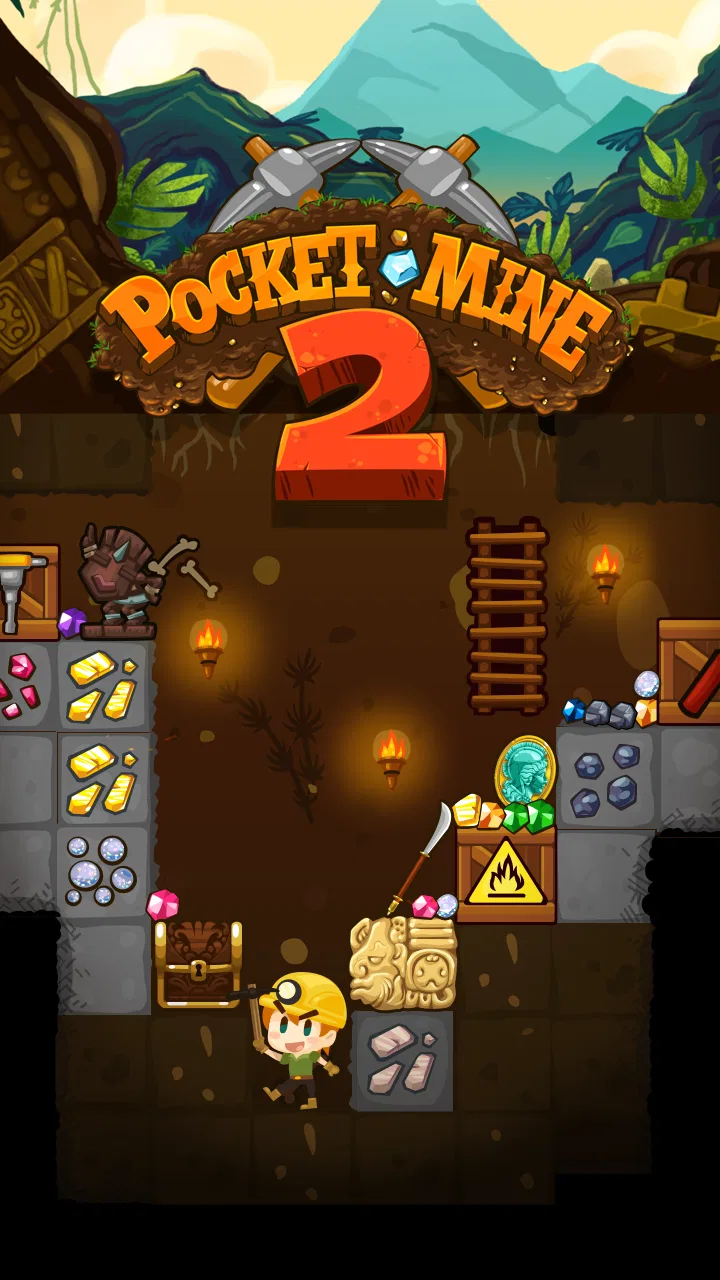
Pocket Mine 2
- 4.3
- Rating
- 1.00M
- Installs
- Free
- Price

 Analysis by App-foxy
Some arcade games ask for quick reflexes, while Pocket Mine 2 asks for a little patience as well. I spent time with this free digging game from Roofdog Games and found that its appeal comes from a simple loop: tap through blocks, keep moving downward, collect useful discoveries, and decide how to spend each run. It is easy to start, but the better experience comes from learning when to push deeper and when to stop before a promising attempt turns into a frustrating one.
The game belongs to the arcade category, although it feels more thoughtful than a pure reaction test. Each short session gives me something immediate to do, yet the island-based progression adds a reason to return. That combination makes it a good fit for a quick break, a commute, or a few minutes at the end of the day. It is less suitable if you want a completely passive game or a long, uninterrupted adventure with a strong story.
Getting unstuck before a digging run
The first place I would expect new players to get stuck is not the tapping itself. The controls are straightforward, but the game presents several small decisions at once: which blocks to break, how aggressively to descend, and whether a run is worth extending. If you tap without looking ahead, progress can feel random. I had a better time when I treated each section as a short route rather than simply attacking the nearest block.
You May Also Like

 Blood Strike: 2.5 Anniversary
Blood Strike’s Loadouts Turn Every Drop Into a Tactical Gamble
A close look at Blood Strike’s custom loadouts: how fast access to signature weapons reshapes its battle royale rhythm, rewards preparation, and narrows the gap between fights.

 Pandora - Music & Podcasts
Pandora’s Music Is Easy to Start, but Harder to Recover
Pandora’s strength is its low-effort path from a seed to a station. Its weak spot is how much confidence it asks you to place in connection, setup, and quiet recovery.

 8 Ball Pool
 Is Built on Rivalries, Rematches, and Routine
A close look at the rivalries, rematches, shared routines, and unanswered safety questions that turn a quick pool match into a persistent mobile community.

 Samsung Music
’s Quiet Strength Is Playing What You Already Own
Its reach comes less from spectacle than from dependable access to a personal library. That simplicity is both the app’s strongest retention engine and its ceiling.

 AccuWeather: Weather Radar
AccuWeather Review: A Quick, Clear Forecast for Everyday Decisions
For everyday plans, the best forecast is the one you can understand quickly. AccuWeather makes rain timing, radar, and local conditions easy to act on, with a few trade-offs.

 Hill Climb Racing
Why Hill Climb Racing Still Turns Crashes Into One More Run
A tiny car, a bumpy hill and one more upgrade: Hill Climb Racing keeps resurfacing because its simple chaos makes every near-miss feel personal.
More From Our News Desk



A useful habit is to pause for a moment before spending taps. Look for the path that keeps several options open instead of immediately choosing the narrowest opening. This matters because a route that seems fast can leave you with fewer useful choices later. The game rewards attention more than frantic speed, so a slower rhythm is not necessarily inefficient.
Another common sticking point is expecting every run to feel equally productive. It does not. Some attempts are mainly about moving forward, while others feel better because the layout gives you more valuable opportunities. I stopped judging a session only by how far I traveled. Gathering progress, learning the level flow, and making a better decision on the next attempt are all part of the appeal.
The most important early adjustment is to play for control rather than speed. Tapping rapidly may feel productive, but it can make you miss the route you actually wanted. I recommend using deliberate taps until the layout becomes familiar. Once you know what to watch for, you can move faster without turning every mistake into a restart.
What to check before blaming the game
If the game does not behave as expected, I would begin with simple checks rather than assuming the problem is a design flaw. Confirm that the installation has finished properly, launch it again, and make sure the device is running a compatible version of its operating system. Pocket Mine 2 supports Android 6.0 and later, so an older device may be the first thing to investigate.
It is also worth checking whether the device has enough free space for normal operation and whether other demanding apps are running at the same time. Arcade games usually feel best when the phone is not busy with several background tasks. Closing unused apps, restarting the device, and trying again can separate a temporary slowdown from a repeatable game issue.
When taps seem delayed, I first clean the screen and remove anything that could interfere with touch input. A thick screen protector, damp fingers, or a damaged area of the display can make a tap-based game feel unreliable. Testing another app that uses similar touch gestures is a practical way to see whether the problem follows the game or the phone.
Network conditions can also confuse the diagnosis when a game includes connected elements or store-related actions. If a screen takes longer than expected, I would switch between a stable Wi-Fi connection and mobile data, then retry later. I would avoid repeatedly pressing a purchase or confirmation control while a page is loading, since that can create unnecessary confusion about what went through.
Making the basic loop work for you
My preferred approach is to give each run a small purpose. Sometimes I focus on exploring a new area; other times I concentrate on collecting what is immediately available. This prevents the session from becoming a repetitive tapping exercise. It also makes failure less annoying, because I can tell whether I learned something useful even when the run did not go as planned.
Do not spend every resource as soon as it becomes available. Keeping some flexibility is valuable when the next section asks you to choose between immediate progress and a potentially better route. I found that impulsive spending made later decisions feel tighter. Saving for a clear improvement is usually more satisfying than making several small purchases with no plan.
The island structure gives the game a natural sense of movement, but it can also encourage players to rush. I recommend treating a new island as a learning space first. Notice how the routes feel, identify which choices regularly cause trouble, and only then try to optimize your pace. This is one of the less obvious strengths of the game: repetition is useful when it changes how you make decisions, not when it is just mindless replay.
For short sessions, I like stopping after a clean run instead of continuing until I make a careless mistake. That approach works especially well on a phone because the game does not need to occupy a large block of time. A quick attempt during a coffee break can feel complete, while a longer session is better saved for when I am willing to concentrate.
Recovering when progress feels wrong
When a run goes badly, I would not immediately reinstall the game or clear anything. First, close it normally and reopen it. If the issue appears only once, it may have been a temporary loading or touch problem. If the same behavior continues, restart the phone and check the operating system requirement before taking more drastic steps.
I would be particularly careful with uninstalling. Removing a game can affect local progress, and the safest recovery choice is usually the least destructive one. If the problem concerns a purchase, I would keep the transaction details and avoid repeating the action until the earlier attempt is clear. That is sensible for any game with optional in-app purchases, including this one, where individual items range from $1.49 to $29.99.
There is also a gameplay form of recovery. If a route repeatedly defeats you, change the goal of the next attempt. Instead of forcing the same path, use the run to test a different direction or to gather what you can safely reach. This turns a frustrating sequence into a controlled experiment. I found that the game became more enjoyable once I stopped treating every failed attempt as wasted time.
Players who prefer a very predictable progression may find this recovery process tiring. The game’s charm depends partly on adapting to each run, so it does not provide the same comfort as an arcade title built around fixed levels and memorized patterns. If you want a game where every attempt can be reproduced exactly, a traditional stage-based alternative may suit you better.
When the phone, connection, or expectations are the real issue
It is easy to blame Pocket Mine 2 when the experience feels sluggish, but the device can be responsible. Older hardware, limited free storage, heat, or many active apps can all make touch input and loading feel less comfortable. I would test the game after a restart and with fewer apps open before deciding that the game itself is at fault.
Touch accuracy deserves special attention because the entire experience depends on tapping blocks. If taps fail in several applications, the display or accessory is the likely cause. If taps fail only during one particular session, reopening the game is a reasonable first step. This simple comparison can save the trouble of changing settings that were never responsible.
Expectations are another source of disappointment. The store summary describes digging through islands, but the moment-to-moment experience is still an arcade loop. It is not a substitute for a large role-playing game, a story-driven exploration title, or a relaxing idle game that plays itself. I enjoy it because it asks me to make small choices repeatedly, not because it offers a deep narrative or complex controls.
The Teen content rating is worth keeping in mind for families. I would not assume that a free download means the whole experience is free of spending decisions. The game is free to install, but optional purchases are part of the wider experience. For a younger player, I would discuss spending expectations before handing over the device and use the platform’s normal purchase protections.
Who will enjoy it most
I would recommend this game to someone who likes compact arcade sessions with a light layer of planning. It works well for players who enjoy seeing gradual progress, trying a route again with a better idea, and making decisions under modest pressure. It is also a good choice if you want something that can be picked up quickly without committing to a long story or a complicated control scheme.
It is less convincing for people who dislike repetition, dislike optional purchases, or want every action to have a guaranteed result. A player seeking competitive multiplayer, a rich narrative, or a completely calm experience may prefer another category altogether. The tapping is simple, but the repeated runs can feel similar if you do not engage with the route choices and progression.
Compared with a conventional endless runner, Pocket Mine 2 gives me more control over how I approach each attempt and makes exploration feel more deliberate. Compared with a puzzle game, it is faster and less exacting, but it does not offer the same kind of carefully defined solution. That middle ground is its identity: quick arcade movement with enough decision-making to keep the loop from becoming empty.
Everyday use and long-term value
In an ordinary day, I can imagine opening it while waiting for an appointment, playing one focused run, and closing it without losing the sense that I accomplished something. The game is particularly comfortable in that setting because its central action is immediately understandable. I would not choose it for a quiet evening when I want a substantial adventure, but it fits naturally into small gaps of time.
The large player base gives the game a reassuring starting point: it has passed a million installs and holds a 4.3 average from roughly sixty-seven thousand ratings. Those figures do not replace personal judgment, but they suggest that the basic formula works for many players. The current release is version 6.10.0, and the game originally arrived on March 10, 2015, so this is an established title rather than a brand-new experiment.
My main long-term reservation is that the loop depends on whether you enjoy repeating short digging attempts. If the answer is yes, the island progression can keep the game useful as a casual companion. If the answer is no, additional progress will not solve the underlying issue. I also think the purchase range deserves attention before recommending it to someone who prefers games with no spending prompts at all.
After playing it, I see Pocket Mine 2 as a focused arcade game rather than an all-purpose mobile adventure. Roofdog Games keeps the central idea clear: tap, choose, descend, and learn from the next attempt. The best results come from patient routes, cautious resource decisions, and basic troubleshooting before assuming the game is broken.
My practical verdict is positive, with conditions. I would recommend it to friends who want a free game for short sessions and enjoy turning simple tapping into a small tactical routine. I would skip it for anyone seeking a story-heavy journey, fixed puzzle solutions, or a completely purchase-free experience. For the right player, its strongest feature is the balance between instant controls and decisions that become more interesting with practice, making it a worthwhile arcade download when you know what kind of session you want.
FAQs for Pocket Mine 2
01What is Pocket Mine 2?
Pocket Mine 2 is a casual mining and adventure game in which you dig through underground worlds, collect valuable resources, discover treasures, and progress by upgrading your equipment. Each expedition combines simple tap-based gameplay with exploration, collectible cards, quests, and character improvements. It is designed for short sessions, but the upgrade system and randomized digging routes give you reasons to keep returning.
02Is Pocket Mine 2 free to download and play?
Yes, Pocket Mine 2 can generally be downloaded and played for free on supported mobile devices. However, the game may include optional in-app purchases for coins, boosts, energy, cards, or other progression-related items. You can enjoy the basic gameplay without paying, although players who want faster upgrades or fewer waiting periods may encounter purchase offers during their adventure.
03Does Pocket Mine 2 require an internet connection?
Pocket Mine 2 may allow some mining and progression features to work without a constant connection, which is useful when playing during travel or in areas with weak reception. Nevertheless, online access can be required for advertisements, cloud-related features, events, updates, purchases, and certain social or competitive functions. Availability can also vary depending on your device and game version.
04Is Pocket Mine 2 suitable for children?
Pocket Mine 2 is relatively easy to understand because its main controls are based on tapping and straightforward progression. It can be suitable for older children, but parents should review the store age rating and the game’s purchase settings before allowing independent play. Optional advertisements, in-app purchases, and the possibility of repeated play sessions are the main points families should consider.
05What are the main advantages and disadvantages of Pocket Mine 2?
The biggest advantages of Pocket Mine 2 are its accessible controls, colorful presentation, quick gameplay sessions, variety of underground discoveries, and satisfying equipment progression. The game is easy to start but offers enough upgrades and collectible elements to maintain interest. On the other hand, energy limits, advertisements, randomized rewards, and optional purchases may interrupt the pace, especially for players who prefer completely uninterrupted progression.
Pros
- Mining controls are simple to learn and work well on touchscreens.
- The game offers plenty of collectibles and equipment to keep progression engaging.
- Short mining runs make it convenient for quick gaming sessions.
- Different worlds provide visual variety and new exploration goals.
- Offline play is useful when you do not have a reliable internet connection.
Cons
- Energy limits can interrupt play and encourage waiting or in-app purchases.
- Randomized rewards may make progress feel dependent on luck.
- Inventory management can become tedious during longer play sessions.
- Some upgrades take considerable time to unlock without spending money.
- Ads and purchase prompts may reduce the enjoyment of the free experience.

Pocket Mine 2
Gallery